Portable powerAerolinkGear 35000mAh Power Bank for Starlink Mini
Adds a mid-size 128Wh-class power option for portable field sessions.
$145.00 · Power Bank
SKU: T10
AerolinkGear focuses on practical Starlink Mini accessories for mobile internet, RV travel, camping, overlanding, remote work, and backup internet setups. Check the product images, variant name, and specifications to confirm the right fit for your setup.
Choose power banks and battery stands for off-grid runtime, mounts for stable positioning, cables and adapters for cleaner power connections, and cases or covers for travel protection. If you are building a full kit, match your gear to where and how you use Starlink Mini.
Not sure which Starlink Mini accessory fits your setup? Contact info@aerolinkgear.com before checkout and we can help confirm compatibility. Orders include tracking after shipment, and eligible items can be returned or exchanged within 30 days of delivery.
TRIPOD MOUNT
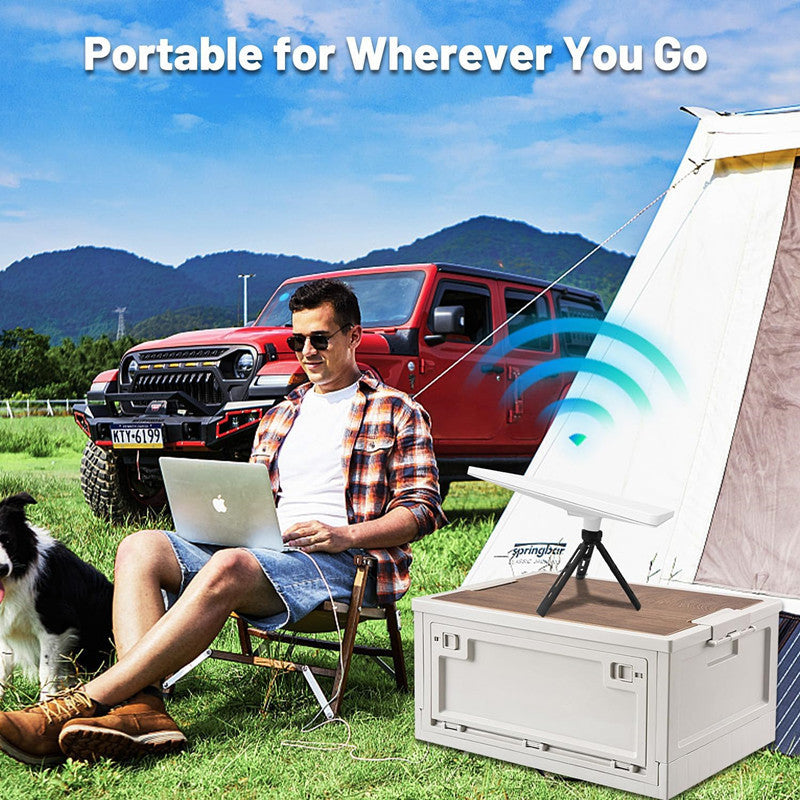
A tripod-style setup helps customers place the dish where signal is better while keeping the vehicle, RV, or tent in a convenient location.

Starlink Mini users often troubleshoot power first, but mounting position is just as important. A cleaner mount helps avoid blocked sky view, cable strain, dirty ground placement, and repeated setup mistakes.

Use a tripod when the best sky view is away from the vehicle, under trees, or beyond the reach of a roof or windshield mount.
A mount cannot change network capacity, but it can help place the dish where sky view, cable routing, and setup stability are better.
Check surface grip, cable strain, wind exposure, water exposure, and whether people or vehicles can bump the setup.
One-stop Starlink Mini solution
Selected for Camping, overlanding and field deployment. The tripod handles field placement; the 128Wh battery, USB-C/DC link and protective case complete portable operation.
Adds a mid-size 128Wh-class power option for portable field sessions.
$145.00 · Power Bank

Completes the physical power path between the selected source and Starlink Mini.
$24.00 · DC to Type-C Waterproof Cable 18CM

Protects the terminal while packing, moving or deploying the kit.
$70.00